#CyberStalking Made Simple:Finding People in the #Fediverse (Updated: 11/9/2022)

 Want to find folks in the Fediverse? It’s not that easy. There’s a reason why a general search doesn’t work…it’s to protect folks from stalkers and bad folks who may be looking for them. That said, some times you need to look for folks or find old posts/toots from people. One solution that was previously available (FedSearch.io) is no more. More on that below UPDATE #1.

Update 11/13/2022:

Dr. Amy Diehl shared another search here:

Here’s a Mastodon tool to search for users by name across instances. It also returns Twitter accounts in the results. https://search.noc.social

An Alternative Approach to FedSearch.io

In Google Search box, enter the following:

“Miguel Guhlin” site:https://journa.host OR site:mstdn.social OR site:hcommons.social

 The results you get will pop up the following:

Update #1: Below is the original blog post. Fedsearch.io no longer works.

Want to find someone in the Fediverse? You might give this tool a shot: Fedsearch.io

It makes it easy to find folks…I did a search on my last name and found myself right away!

I searched for the famous Stephen Downes, and he popped right up!

This may be a little problematic, right? Well, if you value privacy. In the meantime, look, it’s Tony Vincent on Mastodon!

UPDATE #2: 11/9/2022

This update came out one day after this blog post was posted:

Due to extreme backlash from the Mastodon community we decided to end the project, it is obviously not wanted by server admins.

While our intention was to provide the end-user with a global search to find information and friends, the concerns of its usage by trolls has been far greater amongst the community.

See for a discussion on the subject.

Some privacy considerations appear on their privacy page.


Everything posted on Miguel Guhlin’s blogs/wikis are his personal opinion and do not necessarily represent the views of his employer(s) or its clients. Read Full Disclosure

Posting #AnimatedGIFs on #Mastodon

Whether it’s in Spanish or English, one recurring challenge for folks new to Mastodon? Posting animated GIFs. I won’t speculate as to why the Mastodon site or the mobile apps allow posting of animated GIFs (read my guess at the end of this post), but I DO know it’s a pain for some folks.


Exploring the Workarounds

So, let’s explore some workarounds for mobile and desktop Mastodon users. I’ve discovered these myself through trial and error, which is funny because:

“When learning is more effortful, it often results in better long-term retention.”

(Source: Desirable Difficulties as cited in LearningScientist blog)

Mobile Devices like Smartphones/Tablets

Using a smartphone or tablet? You’ll need two things at least:

  • A Mastodon client app that isn’t the official Mastodon app
  • GBoard GIF Keyboard

To answer the first question, “What client app can I use that isn’t the official one?” Most folks end up going for the default app for Mastodon, but it comes without some key features. As mentioned before, those omissions of features must be by design.

Instead, you’ll need one of the following apps, depending on what type of device you are using. I’ve tried most of the Mastodon apps out there on both smartphone (iOS) and tablet (Android), and I’m confident of my recommendations:

  • iOS
  • MetaText (free) – This is the best free app available, and I’d argue it’s the best app on iOS. If you have an iOS device, get MetaText.
  • Toot! ($3.99) – This is a great app, and has the added benefit of making “tooting” sounds (although you can turn that off). I went grocery shopping with this app tooting aloud, and it drove my wife crazy. Aside from that, it is a solid app. Using it is a matter of preference, however, and privilege (since you have to pay for it).
  • Android
    • Tusky (free) – This is the best free app I’ve encountered for Android. It’s not quite MetaText quality but it makes a strong effort.
    • FediLab ($2.49) – This app is my preferred app on Android, as it works smoothly and without issue.

    No matter which app you choose for your device, free or paid, you will be able to insert animated GIFs and images without problem. Of course, you need one more component.

    A Little Extra

    The little extra for mobile devices is the GBoard keyboard, which you install on your device. It comes with a built-in GIF keyboard that allows you to PASTE animated GIFs into the compose box of your Mastodon app of choice. 

    Here’s another write-up on the subject you might find helpful. In this blog entry, I’m sharing my results of experimentation. 🙂

    Desktop Windows/Mac/GNU/Linux Computers

    There are a lot of options depending on your platform, but one I found that could work in either your web browser or as an installed program on your computer is Sengi.

    Get the desktop software client here

     I found that it worked flawlessly. This is the process I followed:

    1) Started up the Senge app


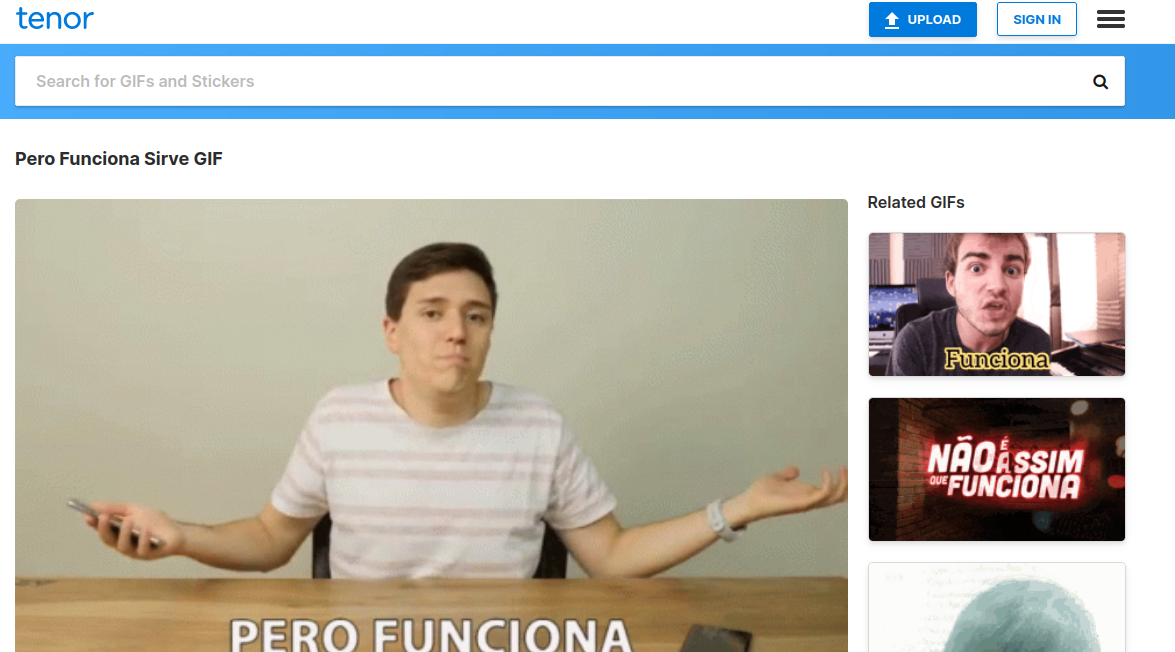
    2) Found the appropriate animated GIF via Tenor (but you could grab a GIF anywhere) and saved it to my computer

     
    3) Opened up compose box and attached the animated GIF I found on Tenor

    4) Composed my toot, adding alt-text to the imag, and that’s that.

    Oh wait. That’s right, I forgot to share my speculative thoughts about why these features don’t appear in the Mastodon standard app or web application (PWA, I guess).

    Speculation

    My best guess is that text is preferred on this platform, and images/GIFs take up space on the server. Since server space costs money, as well as resources to display which also costs money, that’s why Mastodon doesn’t support them. But I could be wrong. This is a testable guess. And, I’m not the only one who has asked.

    But perhaps, it’s worth seeing what this guy says:


    And, that’s that. Or is it?


    Everything posted on Miguel Guhlin’s blogs/wikis are his personal opinion and do not necessarily represent the views of his employer(s) or its clients. Read Full Disclosure

    #EduTooters Unite: Connect with #Twitter #Educators on #Mastodon (Updated 11/19/22)

    As Twitter undergoes lots of exciting changes, over 6.5 million* (as of 11/13/2022) have found a home in the Fediverse, which someone said is 2M since November 19, 2022. Wow. Why those 1M left may be because of various reasons but increased perceived/actual instability on the part of Twitter and it’s new “leadership.” Probably also trying to avoid the hate speech, abuse, and bitter politics. As an educator, I don’t know about you, but that’s not what I got into using Twitter for. 
    Need or want to learn more about how to optimize your Mastodon experience? Some tips and suggestions appear here – 
     

    Mastodon Tutorials and Video Walkthroughs

    Also, check out how to post animated GIFs for Mastodon.

    Follow the EduTooters Group @edutooters@a.gup.pe

    Here’s what following screen looks like….Join up now. No one can see who signs up. 🙂


    DIRECTIONS
     
    1 – Add Yourself to EduTooters List via Google Form Submission
    Please create a Mastodon account, then add yourself via this Google Form. Please know that your Twitter and Mastodon username (along with hashtags) will be available to other educators (or anyone who cares to look). 
    2- View Results
    See results at https://tinyurl.com/edutooters and then follow like-interested colleagues. There is also now a meta-list you can look at…find it online.

    3 – Get People into the Mastodon Import Screen

    Follow these simple instructions to get the list imported into your Mastodon Following List.

    There are over 250 people on the list. Wow!

     Find me at @mguhlin@qoto.org


    Everything posted on Miguel Guhlin’s blogs/wikis are his personal opinion and do not necessarily represent the views of his employer(s) or its clients. Read Full Disclosure


    Making the Move: Shift from Twitter to the Fediverse (Updated 11/7/22)

    Looking for a nice space to connect as educators? Or, as is now known as an #EduTooter? Why not join the Fediverse? Think of it as an alternative to Twitter, Facebook, etc. and all that social media stuff. You can’t say you haven’t been invited, this is your invitation from me. Come along and I’ll share some of my experiences. 

    Join me in the Fediverse @mguhlin@hcommons.social


    Focus on who you’re connecting with and joining rather than what you’re leaving behind. For me, it’s 14K Twitter followers, over 500 Facebook folks, and who knows how much else. Everything changes, and the Fediverse may be the place for you to join and connect with others from around the globe.


    Connect to Other Educators

    Connect with other educators moving to Mastodon from Twitter. 

    Fill out this form or see who’s joined. Launched: 11/6/2022. 

    Short links include:

    Let’s dig in and then see some tips.

    What is the Fediverse?

    Think of it as a collection of loosely joined (federated) neighborhoods or communities. One idea is a series of floating cities with bridges between them. You join one, but you can access all of them.

    Image source:Green Prophet’s Seasteddings


    There’s so much amazing content out there on the Fediverse, it’s easy to get lost. Someone described getting an account in the Fediverse as switching between email providers (e.g. Gmail, Yahoo, Outlook, Hotmail).

    Another analogy I’ve heard? The Fediverse is like email (e.g. Gmail, Microsoft, Proton, Tutanota). You can email others even if they have a different email provider.

    What Mastodon looks like on a computer screen; see simple view below


    The Simple View of what Mastodon looks like on a computer screen


    Getting Started Guides

    Here are a few getting started guides, and this isn’t an exhaustive list:
     
    There are many resources out there. A google search will get you going.

    1- Shop around. 

    Look for a Mastodon instance that suits your interests. Really, they are as rich and varied as people. I found the list that Clint shares here a powerful space to start. 
     
    You can find me at @mguhlin@hcommons.social (you can try this alternative from the same admin (@Stux) – https://mastodon.coffee). There are many you can find others using this tool
     
    Notice the hashtags everywhere…very important


    2-Pick your Mastodon app, so long as it’s not the Mastodon app.

    A lot of the fun of sharing from your mobile device comes from using the right app. Here are a few I tried:

      • iOS and Android
      • Mastodon webapp – This is simply a webapp based on the browser version. It works, but meh.
    • iOS
      • MetaText – This is my favorite free, easy to share with app on iOS devices. Supports animated GIFs with Gboard/GIF Keyboard.
      • Tooot – This is an open source app.
      • Toot ($3.99) – The app is well-established, and works flawlessly. Supports animated GIFs with Gboard/GIF Keyboard
    • Android
    •  

      My recommendation? MetaText is the way to go on iOS, FediLab on Android.

      3- Twelve Quick Suggestions for New Accounts

      Here are some suggestions for newbies.

      1. Post an #Introduction / #Introductions post, and include relevant hashtags (more on that in a moment). Also replace the default profile pic.

      2. There’s no verification with blue checkmarks. Mastodon does have verification but it’s not a requirement or anything. Some users have gotten blue check marks and put them in their profiles for fun.

      3. There are no private DMs. You simply have to click on the globe icon and select the option that says, “Mentioned People Only” to limit your toot to those people

      4. Use Alt-Text for your images, videos, and animated GIFS;

      5. Add #HashTags to every post so others across instances can find you. You should definitely add #EduTooter #Education #TCEA #Teacher #ContentAreaOfChoice

      6. Want to “quote someone?” Get a link to their post, then write something, paste the link and tag them (not quite the same but it works);

      7. Add lots of hashtags to your profile so people can find you easily, and an introduction;

      8. Don’t be afraid to pin several toots to your profile;

      9. Use some of the tools mentioned below to cross-post, but be careful to remove twitter references;

      10. Respond and reply to others;

      11. Explore Federated feed for new hashtags and people to follow and learn from

      12. To follow someone from a different instance, copy-n-paste the address to their username@instance.whatever into your search box (see below), then click Follow when it pops up.

        Follow people by copying their address into your SEARCH box, as shown below:


      You will also want to learn the vocabulary:

      • Toots are like Tweets
      • Boosts are similar to Retweets
      • Birdsite is another word for Twitter
      • You can’t quote toots, but you can copy the link to the toot

      3-Cross-post content and/or Schedule Them

      Some purists may not appreciate this tip, but why dump Twitter right away? Instead, leverage both social spaces to build your professional learning network (PLN) so that you can maximize connections. I’ve run across two tools that allow you to simultaneously post. You post in Twitter (even via IFTTT) and it appears in Mastodon, or post in Mastodon then watch it appear in Twitter.

      Here are a few I stumbled across without hardly looking, shared by brilliant folks on Mastodon. I recommend posting to Mastodon first, then letting it spread from there.

        4-Find friends from Twitter in the Fediverse


        Want to see how many people you know on Twitter are in the Fediverse? Try one of these tools:
        These tools let you export a file that you then import into Mastodon via the web browser on a computer; here’s what that looks like:
         
        I prefer Fedifinder to DeBirdify, but they do exactly the same thing and only look different.


        And, you can also find people in the Fedi.directory:


        5- Use Mastodon’s RSS feed to share. 

        I love this tip that suggests that you can turn your Mastodon posts into an RSS feed, then drop it into IFTTT type service. This allows you to post your Mastodon account posts to anything else (like LinkedIn, blogs, websites, etc.). This is what mine looks like: https://hcommons.social/@mguhlin.rss


        Pretty amazing.
          • Every Mastodon account has RSS built in. Just add .rss to the end of the URL for your account, e.g. merveilles.town/@lrhodes.rss
          • That lets people follow your public posts from an RSS reader, but it’s also useful if you wanted to use IFTTT to crosspost your public posts to another platform. Source: merveilles.town/@lrhodes.rss

          6-Follow interesting people, er, identities.

          Follow people that have similar hashtags to you, no matter where they are. Services like these make it easy to find people by topic:
          Want to follow some journalists? Visit https://journa.host/explore
           

          If you wanted to follow Michelle, you see there is a @mrssmith@journo.host under her name. If you hover your pointer over that then copy the link (shown below into your search box), you can follow her. This works with any instance as far as I’ve seen.


          Have fun. I love following folks smarter than me, and there’s an abundance of them in the Fediverse (hey, hey, be nice).


          7- Create a Group (I did!)
          There aren’t any “groups” in the Fediverse. You can create and follow a group, though. The hack comes from https://a.gup.pe/

          When posting about a subject, just include yourgroupnamea.gup.pe

           
          Here’s one I created for #EduTooters – @edutooters@a.gup.pe

          Cool, huh?

          8- Don’t Put Up with Harassment of Any Sort
          If trolls or bad folks bug you, take these steps:
           
          • Report them to your Mastodon instance administrator
          • Block them and their server
           
          I’ve taken the second step a few times and it’s worked great.

          Reflection

          A part of me rebelled at dedicating time to yet another social media space. I’m already over-extended, why do I want to go there? Well, for the same reason you walk into a F2F conference. 

          You want to learn something from someone, meet new people, and have fun doing it. I’m already enjoying the conversations in new spaces. Each instance of Mastodon, a connected island in the Fediverse, means an opportunity to discover a rich, authentic culture of people from around the world. 

          Why not?


          Everything posted on Miguel Guhlin’s blogs/wikis are his personal opinion and do not necessarily represent the views of his employer(s) or its clients. Read Full Disclosure


          Trying a New Pup Out #SPCA #Dog

          You may recall that a short time ago, Prancer, our toy poodle, was mourned. He had lived a long life, 15 years, spanning the youth of my children and giving my wife and I comfort through much of our careers. 

          Today, we brought home a new pup, a Heart of Texas SPCA puppy rescue. We’ve decided to name her “Chica,” a name my 23 year old son suggested. There was a lot of back-n-forth, as we tried to find a name that would match her and fit our family, too.

          KSee some pics of Chica

          On 8/25/22, Chica was 3 months old. We couldn’t take her home right away since SPCA expected her to be spayed on September 1, so here we are on September 2nd with this blog post. We are quite excited by her enthusiasm.

          Update: 9/7/2022

          Unfortunately, Chica’s enthusiasm proved to be too much for us. I knew puppies were a handful, but this terrier-chihuahua mix ended up being too much. She is adorable, learned to “sit” and walk on a leash (mostly), and she did potty train. But…she wanted to do other things that come naturally to terriers, and after a week of that, I came to the decision to take her back. It was tough because she and I had forged a close relationship, and those beautiful dark eyes will remain ever in my mind.


          Looking for an adorable pet?
          Check Petfinder.com. Or, get the Petfinder app. I was amazed at all the wonderful pups and kittens available via Petfinder in my area. It’s THE place to go. Visiting the Animal Shelters daily and walking around, staring into the soulful eyes of the condemned? Not so good. 

          That said, DO walk around your local shelter, drop some dollars, adopt a life, save a life.

           At this point, my wife and I have decided to live pet free. As much sweetness and light Chica brought into our lives, she brought a bit of mayhem and destruction that, through no fault of her own, helped us realize she wasn’t for us. My son put it best when he said, 

          “I believe from what I’ve seen she is a cute little dog that will find love elsewhere. At least, it [going back] is happening quickly and it isn’t 2 years down the line as now you and mom were just some fun foster parents. I’m sure she will be snatched up by another family and forget all about this.” (Source: email)

          I will definitely think positive thoughts and hope for best resolution for Chica’s future. As for me, I’m going to admit that I’m going to miss her a little….

          Original Post:

          Breed? Who Knows?

          I’m not sure what breed she is, but as a rescue, no doubt she is a mix of several breeds. We suspect Chihuahua and Manchester Terrier, give her coloring, snout, ears, and silky coat. Her personality, as you might expect, is sweet and loving, and we can’t wait to get a daily foot washing with her warm tongue. She showered us with kisses and licks, not to mention happy bouncing only a rescue’s rescuer(s) can know.

          Look, Chica rescues two humans!

          As to her breed(s), we don’t know. I have considered getting a DNA test, but it would seem that money ($109 via Amazon for Embark DNA Test) would be best spent as a donation. 

          Learn more about Embark | DNA Tests

          One of the interesting things is the following:

          “Since dogs are polygamous, females will mate with any available male dog while in heat. As a result, puppies from the same litter may actually have different fathers. 

          On average, siblings who share the same parents are approximately 50% genetically related. But if more than one male fathers a litter, the half-siblings puppies are only ~25% genetically similar.

          This can produce very different breed ancestry results—and dramatically different looking puppies—within a single litter.” (Source: Wisdom Panel)

          So, while Chica’s littermate might have been part Papillon/Chihuahua, chances are, Chica is something else. 

          My best guess without a DNA Test? Manchester Terrier/Chihuahua mix. At $250 for such sweetness that will endure 12-15 years, best not to look a gift pup in the mouth.

          Cleaning and Safe Travel Tips

          I’ve gotten some great puppy tips from colleagues. Although I considered investing in a deep cleaner vacuum, a colleague told me that I could instead use Resolve Pet Specialist. That’s a LOT less expensive. My colleague said it works VERY well.

          Another tip that was kinda cool is the travel safety tool, like this one:

          See Kurgo Wander Dog Hammock Style Seat Cover


          I combined it with a small dog harness and a seat belt tether:

          Kurgo Seat Belt Tether

          The seat belt tether is cool because it plugs right into your regular seatbelt plug (Haha, I don’t know what it is called). I’m hoping this will keep the dog out of trouble and safe from sudden stops or brakes. My wife also suggested a cushion for the car, so this may have ended up as a purchase:

          Vetasac Dog Bed

          Now, all that’s been for the car. I haven’t shared how we’re keeping her happy at home.

          Home Care

          I can’t tell you how many nightmares (not really) I’ve had about her (Chica the new puppy) swallowing little rocks, pebbles (birds may be the only ones who can do this safely, right?) or worse, electric plug stoppers. So, it’s been a priority “puppy proofing” the house from stuff she can chew and eat. But I don’t know why I’m worried…most of her next two weeks will be spent under close supervision on a harness and leash, or in her crate. She’s coming home a day after being spayed, so that’s gotta slow her down a little, right?

          Fortunately, because of Prancer, we have the crate situation covered. I have small, medium, and large crate, so these have been placed strategically around the house. We also have an elevated dog bed (see below) in the family room. Our only real investment in this area is dog food, dog treats.

          One investment that was promptly shot down? It was a suggestion from a work colleague. That is, get and use a “spritz bottle” for when the puppy misbehaves. That way you don’t have to spank them or whatever.

          I’ve made a solemn vow to NOT raise my voice, spank, or engage in any threatening behavior (unless it’s life or death). Instead, I’m going to use tips from Cesar Dunbar’s Puppy Training 101 book.

          Keep your fingers crossed!

          About Heart of Texas SPCA

          You can find the website for The Heart of Texas SPCA online. A little about them:

          Our organization was established as a no-kill shelter in May of 2000, devoted to helping the homeless and unwanted animals in this city find responsible, loving homes. Animal Friends, now Heart of Tx SPCA, is a 501 (c) 3 non-profit Texas corporation. 

          We do not receive any city or county funding and survive solely on public donations and adoption fees. 

          Heart of Tx SPCA is a  K-9 Rescue with the same mission, same goals and expanded resources. Our programs will allow us to help even more homeless pets in and around Bexar county.

          You can visit their website online at http://www.heartoftexasspca.com/home


           What’s Up Next?

          As to what’s up next for Chica, no doubt, a visit to the Kirby Family Vet office. I’m also wondering, should I invest in fi dog collar?


          This is a $149 collar that has GPS tracking, escape detection, water resistant, and more. Check out this chart:

           Amazing, huh? Probably not.


          Everything posted on Miguel Guhlin’s blogs/wikis are his personal opinion and do not necessarily represent the views of his employer(s) or its clients. Read Full Disclosure

          Remembering Prancer Follow-Up: A Special Thanks to My @TCEA Team Members

          As I shared a short time ago, our family’s teacup poodle, Prancer, passed away. He was 15 years old, and had lived a life full of love and care. When his time came to go, his humans cried their eyes out. 

          Prancer with his jacket

          That’s why I was moved to see this tribute from my colleagues at TCEA.org. They were kind enough to celebrate Prancer’s life by saving other lives in animal shelters.

          In Loving Memory

          To respond to the grief of losing such a loyal companion and beloved friend who eased our stresses with a wag of his tail, and incessant licks, my colleagues at work were kind enough to make a donation to Austin animal shelters. 

          A gift in memory of Prancer Guhlin has been made to Austin Pets Alive!

          This donation is made in honor of the best poochito ever– Prancito, Prancito Bear, boobooshita– Prancer Guhlin.

          We are proud to represent your loved one’s legacy by providing lifesaving services that serve as a safety net for pets vulnerable to needless euthanasia. Gifts just like this one allow us to act as a hub for innovation in animal welfare across the nation, while saving over 10,000 lives right here in Austin each year. 

          You can learn more about our story here.

          Thank you for being a part of our APA! family.

          Dr. Ellen Jefferson

          President & CEO

          Reflection: The Starfish Thrower

          After seeing the state of dogs and cats in animal shelters, my wife and I suggested that was the best way to celebrate Prancer’s life. Adopting one pet seems like such an ineffective step, but I console myself with our upcoming adoption of a pet by recalling an old story. It is the story of the starfish thrower.

          A young girl was walking along a beach upon which thousands of starfish had been washed up during a terrible storm. When she came to each starfish, she would pick it up, and throw it back into the ocean. People watched her with amusement.

          She had been doing this for some time when a man approached her and said, “Little girl, why are you doing this? Look at this beach! You can’t save all these starfish. You can’t begin to make a difference!”

          The girl seemed crushed, suddenly deflated. But after a few moments, she bent down, picked up another starfish, and hurled it as far as she could into the ocean. Then she looked up at the man and replied,

              “Well, I made a difference for that one!”

          The old man looked at the girl inquisitively and thought about what she had done and said. Inspired, he joined the little girl in throwing starfish back into the sea. Soon others joined, and all the starfish were saved.(Source)

          Make a difference for one. You won’t regret it. Here’s a great way to find one.

          And, stay tuned for updates on the arrival of Chica, who joins our family on Friday.


          Everything posted on Miguel Guhlin’s blogs/wikis are his personal opinion and do not necessarily represent the views of his employer(s) or its clients. Read Full Disclosure

          Essential Tools for Teaching?

          Over at Ask a Tech Teacher, Christian Miraglia (@T4EdTech), makes the following suggestions when teaching history. 

          As I reviewed the examples, I was reminded of a colleague’s approach to teaching history that was also edtech rich. That is, relied quite heavily on technology to get the job done. I’m not saying that’s wrong. 

          What I am reflecting on is whether that should be the way the job gets done going forward, given what we know about evidence-based strategies.


          Image Source: Essential Tools for Girls, Ladies, and Women…Hmm.

          Essential Tech Tools

          In his guest blog entry, Christian shares the struggle every educator feels after a summer of professional development. What strategies and digital tools to adopt for use in the classroom. He writes:

           As a history teacher, I used the summertime to experiment and attend online professional development technology sessions and tech camps. No matter what, I  constantly faced decisions on what applications I would use in the upcoming year. 

          On a few occasions, I made changes during the years as a fellow educator introduced me to a new exciting application that I thought might benefit my students. 

          Still, I traditionally stuck with a set of programs so my students would not be confused. 

          With the benefit of hindsight, and more reading under my belt, I’m tempted to push back on some ideas I would have agreed wholeheartedly with Christian about. 

          Specifically, I would like to reflect on these three assertions:

          • Experimentation
          • Adopting new exciting application that MIGHT benefit students
          • Avoiding confusion by focusing on a set of programs

          Wait, what are Christian’s essential tech tools? These are tools that wouldn’t cause anyone to bat an eye or argue with:

          • Pear Deck.  
          • This tool enhances student interaction, facilitates formative assessments (e.g. low stakes, retrieval practice). 
          • What’s more, it integrates with other popular tech such as 
          • MS Powerpoint, 
          • Google Slides, and 
          • Learning Management Systems (LMSs) like Microsoft Teams, Google Classroom or Schoology
        • Flipgrid (or Flip as it is now been renamed by Microsoft). An easy to use video recording and screencasting tool (under 10 mins) that comes with tons of content
        • Kami. This makes student annotation (including video) of a document in multiple spaces (e.g. Canvas, Google Workspace, and Microsoft) easy.
        • Those aren’t choices many would argue against. In fact, some would say that they are the perfect tools for use in the classroom. Each can be relied on to support educators designing and implementing lessons in the classroom. But again, I’d like to reflect on some of the other ideas expressed in the blog entry.

          Idea #1: Experimentation

          Every day, teachers are introduced to new digital tools. Each promises to transform teaching and learning. The challenge, of course, is that many won’t. The reason why isn’t included in the list of top reasons why NOT:

          • It costs too much. One of my favorite tools is WeVideo, but you have to pay $200+ for use of this video-editing tool. That’s why I don’t recommend it for classroom deployment.
          • It violates student privacy in some way. Another important question to consider is, “Does this app reveal Personally Identifiable Information (PII) about a student or the teacher?” Many are unfamiliar with how accounts are created on the back end, requiring the school’s/district’ transfer of student account data to the vendor, who may fail to safeguard it.
          • Requires manual account creation. If you have to create student accounts manually, that may be a show-stopper for a teacher who has multiple preps. A teacher may want to use the software service with students, but account creation and maintenance may put too much of a strain.

          The real reason a lot of digital tools fail is that they rely on “engagement” or “Wow, this is cool!” rather than research-based strategies. That is, instructional strategies proven to work over time. Most technologies lack the research to support their adoption in the classroom. Often, paper-n-pencil approach is preferred over technology.

          If you want to experiment with a new technology, best to first decide what evidence-based instructional strategy is going to guide the use of the digital tool. Without that, you aren’t conducting an experimentation that will result in guaranteed success. Instead, you are engaging in edutainment during precious instructional time.

          Idea #2: Adopting New Applications that MIGHT Benefit Students

          The first reflection on Experimentation idea is applicable here, as well. When we adopt new applications, we don’t know for sure if they will work. Or, we know that they will work because students will learn in spite of the digital tool. The question going around in my head is, “How will you know a new application benefited students in an academic way?”
          This suggests that assessing students before, during, and after an intervention would need to be considered. What’s more, you’d have to decide if the intervention used could be separated from the instructional strategy in use. When you consider a digital tool like PearDeck, it becomes obvious that you are going to use it one of the following ways:
          • Make your presentation accessible to students, one on one, so they can see and hear the content of your presentation simultaneously
          • Send the message that you are credible as a teacher, able to use technology while presenting a lesson
          • Use it conduct short, low-stakes assessments that inform your teaching work as to where students are on their journey to the learning target(s)
          • Facilitate retrieval practice, or practice testing, that helps student engage in deep processing of content by retrieving it

          You can also read about more strategies that rely on Pear Deck. As you can surmise (if you clicked on the links), there’s a LOT you can do with ONE tech tool. 

          Should you really be experimenting with several in one school year, if one can do so much? At what point do you distract students, as well as yourself?

          Idea #3: Avoiding Confusion

          Finding lists of the top THREE tools isn’t hard. The question is, how many different instructional strategies and tools should we introduce into the classroom at a time? Is one instructional strategy (e.g. Jigsaw Method, Classroom Discussion, Problem-Solving Teaching) that matches the type of learning intention (e.g. Surface, Deep, or Transfer Learning) sufficient?

          And, if so, what might happen with a teacher who has a whole dashboard of digital tools available? Is it possible that the teacher would simply set up multiple stations that focus on different technologies to process content, only to distract students?

          If Again

          You know, I’m not sure. If I had to teach history again, I would focus on the following:

          1. An evidence-based instructional strategy with a heuristic to scaffold students as they learn it
          2. A digital tool that supported a wide variety instructional strategies
          3. A way to encourage reflection that led to deeper applications of strategy and digital tool.

          What do you think?


          Everything posted on Miguel Guhlin’s blogs/wikis are his personal opinion and do not necessarily represent the views of his employer(s) or its clients. Read Full Disclosure

          Quiet Quitting is An Old Concept

          The idea of quiet quitting seems disloyal to me. To be clear, the concept isn’t that strange. It reminds me a lot of an idea I first encountered in Robert E. Quinn‘s Deep Change.Before I revisit that, let’s review what quiet quitting is:

          …the basic principle is not overworking… Zaid Khan introduced the concept as “not outright quitting your job but quitting the idea of going above and beyond” and linked quiet quitting to the belief that “your worth as a person is not defined by your labor.” (Source)

          Who can’t get behind the idea of NOT overworking, of NOT being defined by your work? “I am NOT my job title,” is one way of describing it. Robert E. Quinn speaks to the motivation behind quiet quitting:

          According to the author of Deep Change, “old maps drive us into a state of great pain and frustration.” The old map in this case is how work happened and came about PRIOR to COVID-19. But now, we are all finding ourselves in a quest for a new map. It is a map that involves realignment to what is going on in the world. 

          Failure to realign leads to what Robert E. Quinn characterizes as “slow death.” We face slow death because the “dominant coalitions in an organization” are seldom interested in making deep change. The bosses and managers want you to keep coming to work, act as if nothing happened because they profit from that…the numbers look better. But their wanting can’t counteract a changed topography that demands a new map. 

          Slow Death

          Slow death is present everywhere. It involves a violation of trust as people leap from one job to another, to escape the environment. It means that we thirst for a vision, that we need change but no one is willing to engage it. 

          Burn-out–and its resulting loss of energy–comes from those who choose slow death. There are three strategies, says Quinn, that people to use to deal with slow death:

          • Peace and Pay: By employing this strategy, people become the victims of an oppressor.This is a role that leads people to not rock the boat, maintain the status quo at all costs. They are putting in their time until they have to go home, collecting their pay-check. They reject the work of the organization, noting that it is “dying” and “wrongly assuming they are not.” 
          • Active Exit: This strategy involves keeping your options open, staying in tune with what’s happening, and looking to leave. There’s no commitment to the job, only to find an exit to somewhere that is perceived as better.
          • Deep Change: This involves realizing that the old map doesn’t work. You need a new one and nothing less than that will work. 

          Quinn, author of Deep Change, refers to this last strategy as “realigning ourselves to the environment requires that we exercise the discipline to make an unusual perspective.” Notice that he says “MAKE an unusual perspective.” The way isn’t made or predetermined. 

          Instead, you have to figure it out as you go, risking uncertainty and ending up at a box canyon (a “dead end”). When dealing with slow death, deep change requires us to go “naked into the land of uncertainty, knowing how to get lost with confidence.” 

          This journey into uncertainty results in the creation of a new paradigm, “one in which we must separate from the status quo and courageously face and tackle uncertainty.”

           I love Quinn’s list of strategies. I suspect most quiet quitting falls somewhere between “Peace and Pay” and “Active Exit.” For those who recognize the old way won’t work anymore, they are moved to radical change.

          Another Way to See It

          David Truss (Daily Ink) explores the idea in this way:

          There is a part of me that struggles with this idea. I can’t see doing the job I have and not wanting to do more, to give more, and to give myself over to my job. Then there is a part of me that totally gets it. I have a job where no matter how many hours I put in beyond the work day, my salary doesn’t change. 

          I’ve fallen into cycles where I’ve dedicated so many hours to my job that I’ve had nothing left for myself or my family. I’ve left work late, and then stayed on my phone working, then gone to bed thinking about the things I still needed to do.

          For David it seems to be about finding a life-work balance, where you aren’t thinking about it all the time, spending countless hours to the detriment of the rest of the people and activities in your life. But, it’s more than that for those who engage in “quiet quitting.” For them, it’s about realizing that peace and pay is their best option, doing what they must and not one iota more. 

          I can tell you, that’s not going to work. But I suppose the journey is one you have to make on your own. The only problem is that the journey of deep change is always waiting, one way or another. Deep change is only a problem if you stop changing. 

          If you’ve stopped, I hope you enjoyed the respite. In the immortal words of Andy from Stephen King’s book, Shawshank Redemption. They are a bit of a shocker.

          “It comes down to a simple choice, really.
          Get busy living or get busy dying.”


          Everything posted on Miguel Guhlin’s blogs/wikis are his personal opinion and do not necessarily represent the views of his employer(s) or its clients. Read Full Disclosure

          Patriots…Not so much

          Image Source: A Brief History of Texas Gerrymandering, Spectrum Local News


          Have you seen this post over at Educational Equity, Politics, and Policy in Texas?

          Patriot Mobile markets itself as “America’s only Christian conservative wireless provider.” Now the Trump-aligned company is on a mission to win control of Texas school boards.

          Then, you read:

          “The school boards are the key that picks the lock,” Bannon said during an interview with Patriot Mobile’s president, Glenn Story, from the floor of the Conservative Political Action Conference, or CPAC, in Dallas on Aug. 6. “Tell us about what you did.”

          Story turned to the camera and said, “We went out and found 11 candidates last cycle and we supported them, and we won every seat. We took over four school boards.”

          What’s more, Texas is already gerrymandered to favor Republican candidates and control. Women are denied healthcare they need. Book bannings continue, censorship by “Christians” is advocated and legislated. The Christian Nationalists are taking over PUBLIC school boards.

          It’s enough to make one agree with the statement:

          Religion is regarded by the common people as true, by the wise as false, and by rulers as useful.


          Everything posted on Miguel Guhlin’s blogs/wikis are his personal opinion and do not necessarily represent the views of his employer(s) or its clients. Read Full Disclosure

          Complaining: Not as Great as You Thought

          Once, I had an employer write in an appraisal feedback, “I really appreciate it that you don’t complain when given a new task.” This came to mind when I read Doug “Blue Skunk” Johnson’s blog entry, “Don’t Complain Until You’ve Cleared a Trail.” 

          Did you know? Somehow, the only bit of Panamanian culture I passed on to
          my children is a machete. I bought a few when I went to Panama in 2007, and each of my
          children has appropriated one and threatened to grab more. Of course, I only paid $8 per machete but they represent steel from the homeland. Or something. They lie in wait, sharpened in their sheaths, for that pending zombie apocalypse. Sigh.

          In it, Doug writes about his experience doing all sorts of stuff I wouldn’t see as fun, but is undoubtedly helpful to others:

          I probably did not contribute as much as I could or should have. I used my car as a shuttle. I lopped. I moved logs. I painted blazes. I carried a supply bucket. And I learned just how much work maintaining a trail actually is. 

          Of the trail’s 165 miles, it took eight of us most of the day to clear just five of them.

          So next time I am on the trail, I will be grateful for the bridges that are stable and the paths that are clear. Not grouse about the small annoyances while wondering about the competence of the trail caretakers. Now that I’ve been one of them.*

          *Perhaps each of us should spend a day or two being a classroom teacher, a snowplow driver, a fast food worker, a nurse, or in any job which seems to draw criticism…

          That whole idea of not complaining until you’ve walked the walk, done the work, earned your stripes…I have to admit that I’m not big on complaining. Now, I just vote with my feet. If I don’t like you, you don’t hear from me anymore. If there’s a job to do, sure, I’ll try it your way. If it doesn’t work, I’ll do it the way it does work. It’s part of learning. 

          Every job is hard the first time you do it. Anything you want to learn makes you uncomfortable. That’s the fun about “getting comfortable with the uncomfortable.” You, as zombie books like to quote Marines, “Embrace the suck.”

          “To consciously accept or appreciate something is extremely unpleasant
          but unavoidable for forward progression.”


          Of course, that “suck” is different for every job. I wouldn’t want to be Marine (thank you so much for doing your job) anymore than I would want to maintain a trail. But, I bet there’s stuff I do you wouldn’t want to.

          Enjoy it, whatever it is.


          Everything posted on Miguel Guhlin’s blogs/wikis are his personal opinion and do not necessarily represent the views of his employer(s) or its clients. Read Full Disclosure

          Design a site like this with WordPress.com
          Get started